AI Product Photography for D2C Brands: Practical Guide
Use AI product photography to explore scenes and creative variants faster, then check product accuracy, brand fit, and platform requirements before publishing.
On this page
- Introduction
- The Economics: Traditional vs. AI Product Photography
- What AI Product Photography Can and Cannot Do Today
- The Complete AI Product Photography Workflow
- AI Product Images for Meta Ads: What Converts
- Building a Monthly AI Photography Production System
- How Scalistro Powers Your AI Product Photography Workflow
- Frequently Asked Questions
AI product photography helps D2C teams turn approved product images into more scenes, crops, and seasonal assets. It can shorten the production cycle, but a person still has to check that the generated product matches what customers will receive.
A traditional shoot can take weeks and a meaningful share of a launch budget, money that competes with the ad spend for the same products. This guide compares the economics and gives a repeatable workflow for producing usable images.
The Economics: Traditional vs. AI Product Photography
Consider an eight-SKU launch that needs product images for ads, social, the store, and email. Compare the total finished assets, including placement-specific crops, rather than only the shoot day. The ranges below are illustrative planning assumptions, not quoted rates; local prices vary widely, so replace them with your own quotes.
Traditional Photography Costs
- Studio rental: $500 to $1,500 per day
- Photographer: $500 to $2,000 per day
- Styling and props: $200 to $500
- Models (if lifestyle): $500 to $2,000 per model per day
- Post-production editing: $25 to $75 per image
- Resizing for platforms: $10 to $25 per variation
Eight products with five views each and three aspect ratios create 120 final files. The traditional estimate is $8,000 to $20,000 and 2 to 4 weeks from shoot to delivery.
AI Photography Costs
- AI tool subscription: $50 to $300 per month
- Base product photos: $0 (you likely already have basic product shots from your manufacturer or phone camera)
- Generation time: 2 to 10 minutes per image
- Manual review and selection: Your time
The AI-assisted estimate for the same 120 files is $50 to $300 plus review time, with a 1 to 2 day turnaround. In this example, the direct production cost is far lower. Include human checking and any original product shoot in your own budget.
What AI Product Photography Can and Cannot Do Today
AI is strongest when it changes the setting around a faithful source image. It needs closer review when it invents details of the product itself.
What AI Does Well
Use these capabilities to expand a verified source image into more contexts and placements.
- Background generation and replacement: Take a product on a white background and place it in any environment - a marble countertop, a sunlit kitchen, an outdoor picnic scene. This is the most mature and reliable AI photography capability.
- Lifestyle scene creation: Generate contextual scenes showing your product in use without hiring models or renting locations. AI can create hands holding your product, a product on a bedside table, or a product in a gym bag.
- Aspect ratio adaptation: Automatically reframe and extend a product image from 1:1 to 9:16 for Stories, filling in natural-looking background content.
- Seasonal and thematic variations: Transform the same product shot for holiday campaigns, seasonal launches, or promotional events without reshooting.
- Color and material variations: Show a product in different colors or materials from a single reference photo.
Where AI Still Struggles
Reject outputs that misrepresent packaging, materials, color, or the way the item works. A polished image is not useful if it makes the product less truthful.
- Fine text and labels: AI can distort or blur small text on product labels and packaging. Always verify that product labels are readable in generated images.
- Complex transparency: Products with glass, liquid, or transparent elements can render unnaturally. Perfume bottles, drink containers, and clear packaging require careful prompting and often multiple generations to get right.
- Precise hand and finger placement: While improving rapidly, AI-generated hands interacting with products can still look unnatural. Review these closely.
- Exact brand color matching: AI may shift colors slightly. Always compare generated images against your brand color guidelines and adjust if needed.
The Complete AI Product Photography Workflow
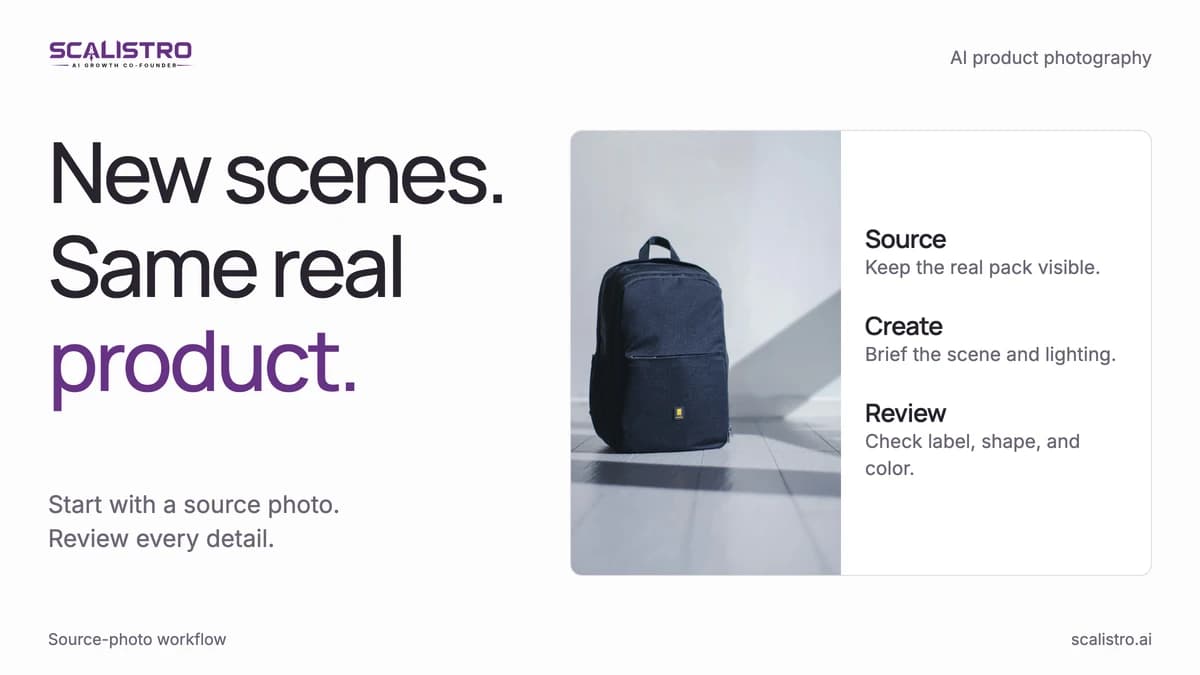
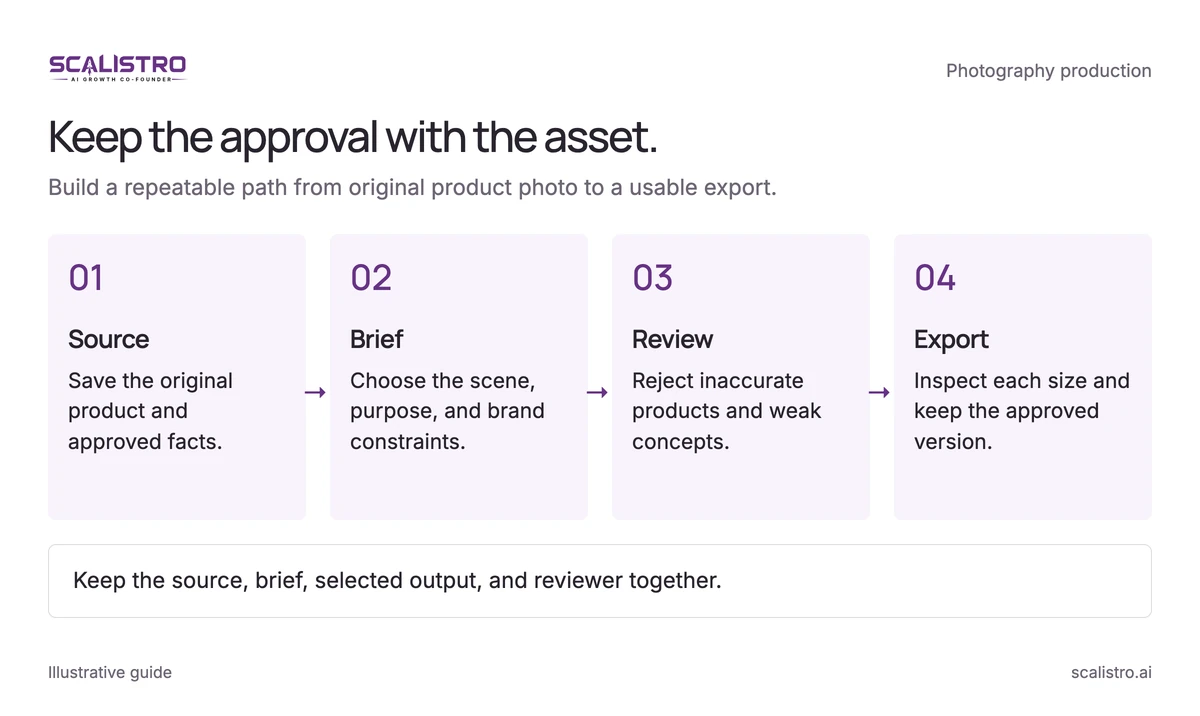
Keep the source, brief, output, and approval together so every published image can be traced back to the real product.
Swipe to explore. Tap to open full size.
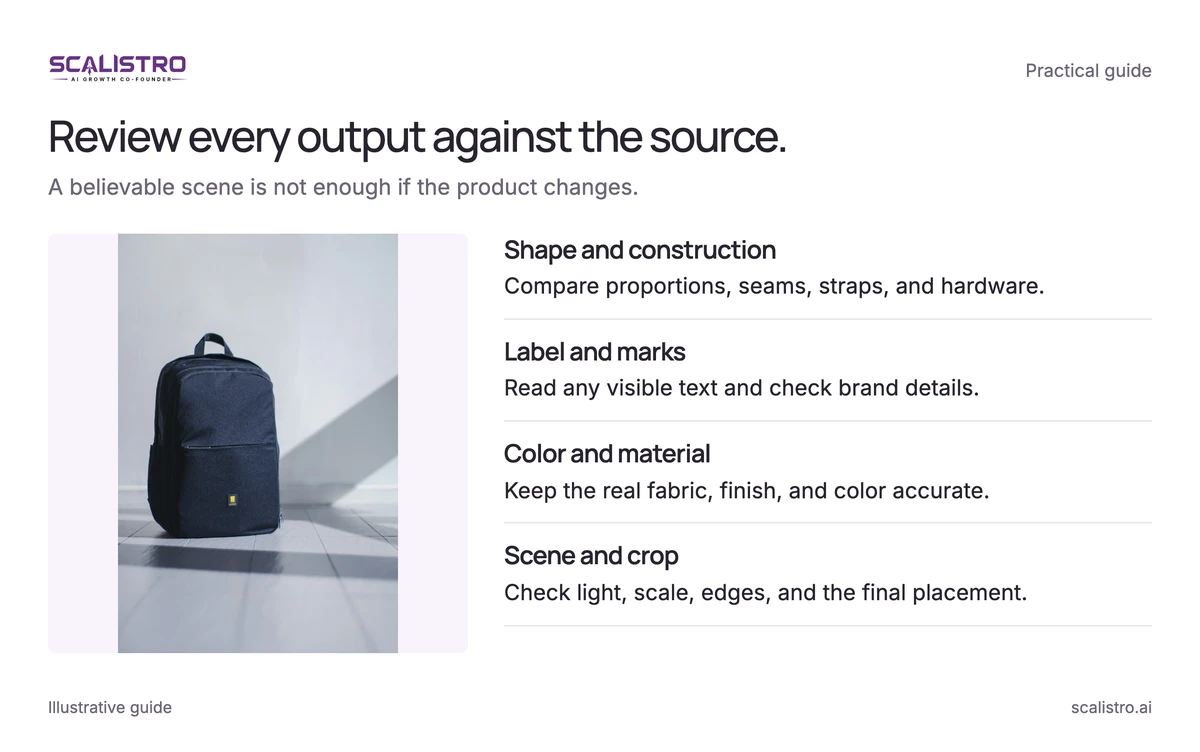
Image details: Review every output against the source.
Review every output against the source. A believable scene is not enough if the product changes. Shape and construction - Compare proportions, seams, straps, and hardware.; Label and marks - Read any visible text and check brand details.; Color and material - Keep the real fabric, finish, and color accurate.; Scene and crop - Check light, scale, edges, and the final placement.
Source photo: Sun Lingyan / Unsplash.
Step 1: Capture Your Base Product Photos
Start with sharp, evenly lit reference photos. A phone is enough if the product edges and label are clear. Capture:
- Lighting: Soft, even lighting with no harsh shadows. Natural daylight near a window works well. Avoid overhead fluorescent lighting.
- Background: Plain white or light gray. The AI will replace the background, so simplicity here gives the best results.
- Angles: Capture front, side, 45-degree, top-down, and detail shots. More angles give the AI more information about your product's shape and features.
- Resolution: Shoot at the highest resolution your camera supports. AI upscaling works, but starting with more pixel data produces better results.
- Multiple products: If you sell bundles or complementary products, capture them both individually and grouped together.
Step 2: Prepare Your Brand Guidelines for AI
Give the generator a short visual brief with approved examples and constraints:
- Brand colors: Hex codes for primary, secondary, and accent colors
- Visual mood: Words describing your brand aesthetic (minimalist, warm, luxurious, playful, natural, urban)
- Target environments: Where your customer uses the product (bathroom counter, kitchen table, gym, office desk, outdoor)
- Avoid list: Environments, colors, or styles that conflict with your brand (no neon colors for a premium brand, no industrial settings for a cozy home brand)
Step 3: Generate Scene Variations
Give each image a specific job in the gallery or campaign. Generate at least five scene types:
- Hero shot: Product centered on a clean, brand-aligned background. This is your primary product listing image.
- Lifestyle context: Product in its natural use environment. A skincare bottle on a marble bathroom counter with soft morning light. A snack bar in a gym bag with workout gear.
- Scale and detail: Close-up showing texture, ingredients list, or unique design features. Helps customers understand the product's physical qualities.
- Social proof setting: Product surrounded by indicators of popularity - grouped with complementary products, shown in a "flat lay" arrangement, or placed in a gift-giving context.
- Seasonal or promotional: Product in a seasonal context (holiday gift wrap, summer outdoor scene, back-to-school setup) for timely campaigns.
Step 4: Review, Select, and Refine
Expect to select 3 to 4 usable images from every 10 generated. Review each candidate at the size and crop where it will appear:
- Product accuracy (does it look exactly like your real product?)
- Label readability (can you read the text on the packaging?)
- Color accuracy (does the product color match reality?)
- Scene believability (does the environment look natural?)
- Brand alignment (does this represent your brand aesthetic?)
Step 5: Optimize for Platform Specifications
Export the approved concept at the dimensions needed by each placement, then inspect the crop again:
- Meta Feed ads: 1:1 (1080x1080) or 4:5 (1080x1350)
- Meta Stories/Reels: 9:16 (1080x1920)
- Instagram Grid: 1:1 (1080x1080)
- Website product pages: Your site's standard dimensions, typically 1:1 or 3:4
- Email marketing: 600px wide, optimized for file size under 200KB
AI Product Images for Meta Ads: What Converts
Meta ad performance depends on whether a buyer recognizes the product and understands its use quickly. Use the following traits as test hypotheses, then judge them against your account's results.
High-Converting Image Characteristics
Make the product clear at feed size while leaving enough context to communicate the benefit.
- Product occupies 50 to 70 percent of the frame. Too small and the viewer cannot see the product in the feed. Too large and there is no context or visual breathing room.
- Warm, natural lighting. Images with warm tones (golden hour, soft daylight) outperform cool or clinical lighting for most D2C categories. The exception is tech and premium electronics, where cooler tones signal precision.
- Human element without showing full faces. Hands holding the product, a product on someone's lap, or a product next to someone's morning coffee. They are worth testing against plain product shots because they help the viewer picture themselves using the product.
- Minimal text overlay. Let the image carry the scene. Keep added text to one readable headline or benefit; 20 percent coverage is a useful design ceiling, not a current Meta delivery rule.
- High contrast against the feed. Most social feeds are dominated by warm lifestyle content. A product image with a distinctive background color or unexpected scene can create a thumb-stop moment that generic lifestyle shots cannot.
Images That Underperform
These patterns can hide the product or make an ad look generic. Test exceptions when the category or audience gives you a reason.
- White background product shots (look like catalog entries, not ads)
- Overly busy scenes with multiple competing visual elements
- Images where the product is hard to identify within 2 seconds
- Stock photo-style lifestyle images that feel generic and interchangeable
Building a Monthly AI Photography Production System
Use a weekly cadence so image creation follows the content plan and produces assets for the next test, not a folder of unused variants:
Swipe to explore. Tap to open full size.
Image details: Keep the approval with the asset.
Keep the approval with the asset. Build a repeatable path from original product photo to a usable export. Source - Save the original product and approved facts.; Brief - Choose the scene, purpose, and brand constraints.; Review - Reject inaccurate products and weak concepts.; Export - Inspect each size and keep the approved version. Keep the source, brief, selected output, and reviewer together.
- Monday: Review this week's content calendar and ad testing schedule. Identify which products need new imagery and which campaigns are launching.
- Tuesday: Generate AI product images for the week - aim for 15 to 20 generations per product to select 4 to 5 winners.
- Wednesday: Review, select, and refine. Export in platform-specific formats. Upload to your creative asset library.
- Thursday-Friday: Deploy images in scheduled social posts and ad campaigns. Tag each image with the generation settings and scene description for future reference.
The schedule can produce 20 to 30 placement-ready images per week. Track how many are approved and used, then reduce output if the team cannot review or test them.
How Scalistro Powers Your AI Product Photography Workflow
Listro can help generate product-image variants from a brand brief. People select and approve the assets; expert creative support is available on eligible plans.
The AI layer:
- Creative production: Listro helps produce product-image variants from source photos and brand direction. Review the scene and export each approved image for the Meta placement where it will run.
- Performance review: Listro helps you review connected ad performance to see which images and messages are worth testing again. Use those findings to brief the next creative batch. A person decides which creative direction to pursue.
- Social planning: Listro can help plan social content around approved images so organic posts and paid campaigns use a consistent visual direction.
The human layer:
The brand team checks product truth, chooses the visual direction, and approves what reaches customers. On plans with expert support, Scalistro's team can help with art direction and performance review. The next brief should use what the approved images actually achieved.
Before generating variants, review five product image ideas to decide what each image should communicate.