D2C Landing Page: 12 Ways to Turn Visitors Into Buyers
Build a D2C landing page that explains the product, shows real proof, answers buyer questions, and makes the next step easy.
On this page
- Introduction
- Landing Page vs. Product Page: When to Use Each
- The 12 Elements of a High-Converting D2C Landing Page
- Element 1: Page Load Speed (Target: Under 2.5 Seconds)
- Element 2: Above-the-Fold Hero Section
- Element 3: Social Proof Bar
- Element 4: Problem-Solution Narrative
- Element 5: Benefit-Focused Feature Section
- Element 6: Customer Testimonials and Reviews
- Element 7: Risk Reversal (Guarantee)
- Element 8: Urgency and Scarcity (When Authentic)
- Element 9: Sticky Add-to-Cart Bar
- Element 10: FAQ Section
- Element 11: Mobile Optimization
- Element 12: Exit-Intent Offer
- The Landing Page Testing Framework
- Tools for Building D2C Landing Pages
- Frequently Asked Questions
A D2C landing page can make the same ad budget go further. If 1,000 visitors cost $1,000 and 25 buy, each sale costs $40 in ads. If 50 buy, each sale costs $20. Yet many brands spend far more on getting visitors than on improving the page they land on.
The median Shopify store converts 1.4 percent of sessions, and the top 10 percent of stores convert 3.4 percent or more (Littledata, 2026). Your product and visitors matter too. Here are the page changes worth checking first: a clear promise, real proof, fast loading, and an easy way to buy.
Landing Page vs. Product Page: When to Use Each
Choose the page that answers the visitor's next question with the least friction:
Use a dedicated landing page when:
- You are running paid ads to a single product or offer and want maximum conversion focus.
- You are promoting a specific bundle, subscription, or limited-time offer that needs its own narrative.
- You are targeting a specific audience segment with tailored messaging (e.g., a landing page for new moms vs. a landing page for fitness enthusiasts, both selling the same protein powder).
- Your standard product page cannot explain the campaign's specific offer without extra navigation.
Use your product page when:
- Traffic comes from Google Shopping, where users expect a standard ecommerce product page experience.
- You sell a catalog of products and cannot create individual landing pages for each.
- Your product page already explains the offer clearly and converts well for that traffic source.
For social ads, a page built around one offer is often worth testing against a standard product page. For Google Shopping, the product page itself is usually the right destination. Shopping visitors also expect the price and stock status from the ad to match the page.
The 12 Elements of a High-Converting D2C Landing Page
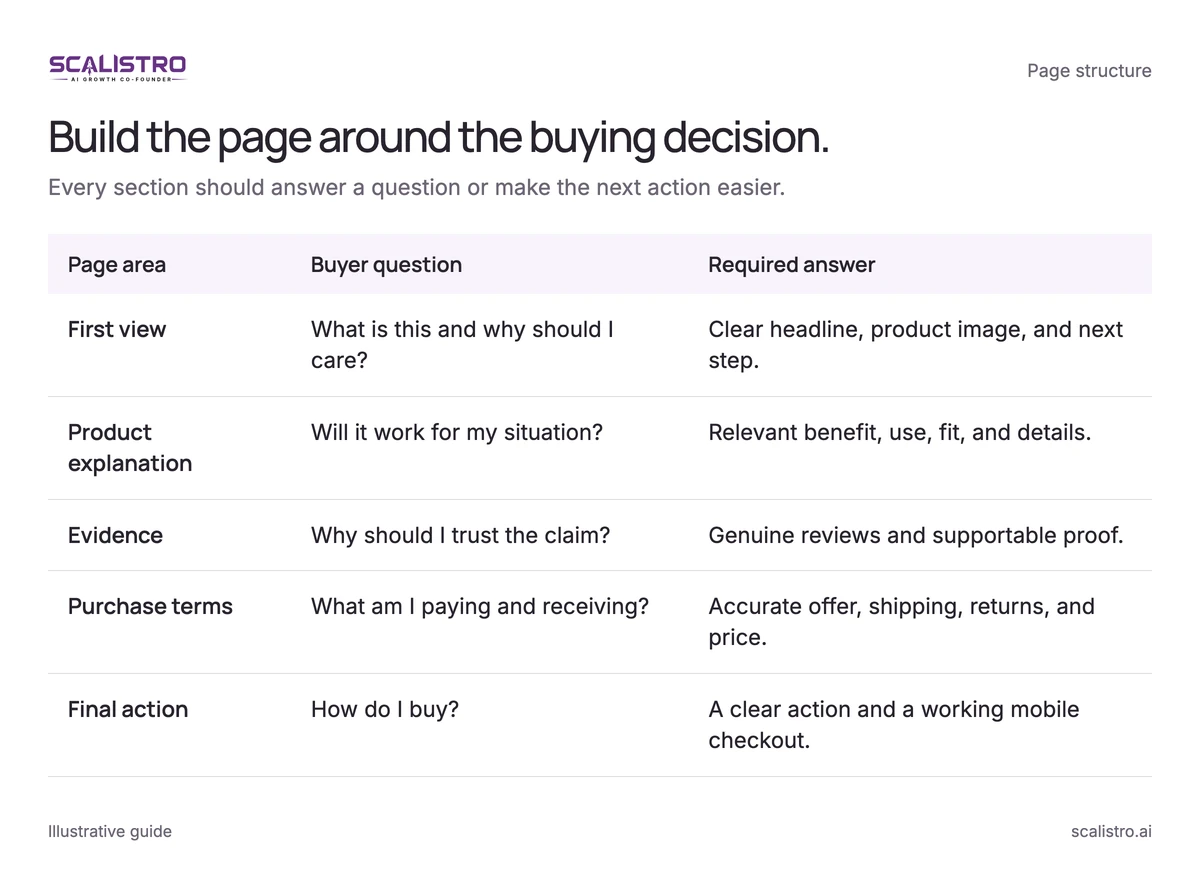
Swipe to explore. Tap to open full size.
Image details: Build the page around the buying decision.
| Page area | Buyer question | Required answer |
|---|---|---|
| First view | What is this and why should I care? | Clear headline, product image, and next step. |
| Product explanation | Will it work for my situation? | Relevant benefit, use, fit, and details. |
| Evidence | Why should I trust the claim? | Genuine reviews and supportable proof. |
| Purchase terms | What am I paying and receiving? | Accurate offer, shipping, returns, and price. |
| Final action | How do I buy? | A clear action and a working mobile checkout. |
Element 1: Page Load Speed (Target: Under 2.5 Seconds)
Slow pages lose people before they see the product. Google found that 53 percent of mobile visits are likely to be abandoned if a page takes longer than 3 seconds to load (Google, 2016), and a Deloitte study for Google found a 0.1 second speed improvement raised retail conversion by 8.4 percent (Deloitte and Google via web.dev, 2019 data). Test your page on a real phone.
Technical optimizations that make the biggest impact:
- Right-size images: Serve a modern format and responsive dimensions. A 200KB target may suit many product images, but visual quality and device size matter. Prioritize the hero image rather than lazy-loading it.
- Load lower-page images later: Show the first screen quickly, then load the rest as people scroll. This helps most on image-heavy pages.
- Audit scripts: Remove unused pixels and widgets. Keep purchase tracking accurate while reducing work on the critical path.
- Use a content delivery network: It sends files from a server near the shopper and cuts the wait for distant visitors.
Element 2: Above-the-Fold Hero Section
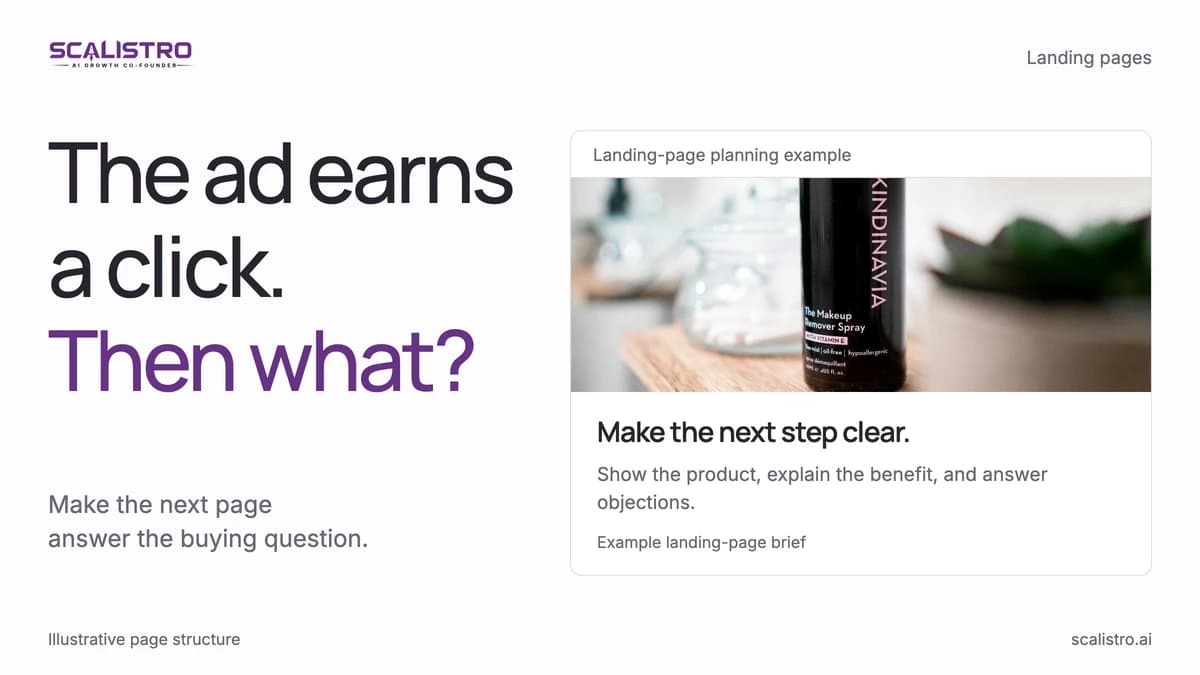
People may decide whether to stay within 2.6 seconds. The first screen should answer: What is this? Who is it for? Why choose it? What do I do next?
- Headline: Name the product and a benefit you can prove.
- Subheadline: Add the intended user, differentiator, or real proof point. Customer counts and ratings must be current and verifiable.
- Product visual: Show the item clearly, then show it in use.
- Buy button: Make the next step easy to see. The wording should match what happens after the click.
Element 3: Social Proof Bar
Put a real review score, customer quote, or trusted award near the first buy button. Show proof about the product on the page, not an unrelated brand claim.
Effective social proof elements:
- Review aggregate: "4.8/5 stars from 2,347 reviews" with star visuals.
- Customer count: "Trusted by 50,000+ customers" or "100,000+ units sold."
- Press logos: "As seen in Vogue, Forbes, Well+Good" with publication logos.
- Awards or certifications: "Best of Beauty 2025" or "Dermatologist Recommended."
Use the exact count, source, and scope. A brand-wide review total should not appear to describe a single SKU. Only display press logos or awards you have permission and evidence to use.
Element 4: Problem-Solution Narrative
Show the problem, then explain how the product helps. This usually reads better than opening with a feature list:
- Problem: Name the specific problem your target customer faces. Be precise: "You have tried 5 different moisturizers and your skin is still dry by noon" is more effective than "Dry skin is a common problem."
- Impact: Show the practical inconvenience the product addresses. Keep it proportional to the real problem.
- Solution: Explain the mechanism or feature and provide evidence for the promised result.
Follow that story with the product details, price, and limitations a shopper needs before buying.
Element 5: Benefit-Focused Feature Section
Translate a real feature into a supported customer benefit. The examples below show structure, not claims to copy into a live skincare ad:
| Feature (Weak) | Benefit (Strong) |
|---|---|
| Contains hyaluronic acid | Explain how the formula helps with hydration, using claims you can support |
| Uses certified organic ingredients | Name the certification; do not promise zero irritation |
| 30-day supply per bottle | Tell buyers how often to use it and how long it lasts |
| Free shipping | Say where and when delivery is free |
Put your top three to five benefits first. Most people scan rather than read: in Nielsen Norman Group's classic study, 79 percent of test users always scanned a new page (Nielsen Norman Group, 1997). Short labels help them find the answer they need.
Element 6: Customer Testimonials and Reviews
Choose three to five authentic reviews that answer common objections. Obtain permission for names, photos, and video, then keep the original meaning intact:
- Specific experience: A detailed review is more convincing than "Great product." Do not present one person's result as typical for everyone.
- Relevant context: Include a verified buyer label or an approved first name and location when they help a shopper judge fit. Never invent a profile.
- Objection-addressing: Choose testimonials that address common purchase objections. If price is a concern, include a review saying "I was skeptical about the price but it is worth every penny." If efficacy is a concern, include reviews with specific before-and-after timelines.
- Photos or video: Customer photos and short video reviews add proof that text cannot. Get permission and keep the page fast.
Element 7: Risk Reversal (Guarantee)
A clear return policy can help an unfamiliar buyer feel safe. Longer guarantees can also raise returns, so check the cost before changing your terms.
Effective guarantee formulations for D2C:
- "Returns accepted within 30 days for unopened items. See full terms."
- "Free returns on eligible orders within 60 days."
- "If the fit is not right, exchange within 30 days."
Element 8: Urgency and Scarcity (When Authentic)
Genuine urgency can help a shopper decide. Fake urgency (countdown timers that reset, "only 3 left" on unlimited digital goods) damages trust when shoppers notice it.
Authentic urgency examples that work:
- Limited-edition product with genuine limited inventory.
- Sale or promotion with a real end date.
- Subscription with a discounted first-order offer that expires.
- Free shipping threshold with seasonal timing ("Free holiday shipping ends Friday").
Element 9: Sticky Add-to-Cart Bar
A buy bar that stays visible while someone scrolls is worth testing on long pages. Keep the product name, price, and Add to Cart button visible without covering other controls on a small phone.
Element 10: FAQ Section
Answer common questions about shipping, returns, sizing, materials, and use. Make sure the answers match your store policies.
Element 11: Mobile Optimization
Most online shopping now happens on phones: 56.4 percent of US online holiday transactions in 2025 were on a smartphone (Adobe, 2026). Yet most landing pages are designed on desktop first and adapted to mobile as an afterthought. Design for mobile first:
- Single-column layout: No multi-column grids on mobile. One column, sequential scroll.
- Thumb-friendly CTAs: Buttons should be at least 48px tall and 280px wide, easily tappable with one thumb.
- Readable text without zooming: Minimum 16px body text, 24px headings on mobile.
- Minimized form fields: Every extra field adds work on a small screen. Use autofill, address lookup, and one-click payment options wherever possible.
Element 12: Exit-Intent Offer
An offer shown as someone leaves can bring back some departing visitors. Try a first-order discount, free shipping, or a gift. Check whether the extra sales cover the cost. On mobile, keep the popup out of the way and ask for email with clear consent.
The Landing Page Testing Framework
Test the part of the page most likely to be losing buyers, roughly in this order:
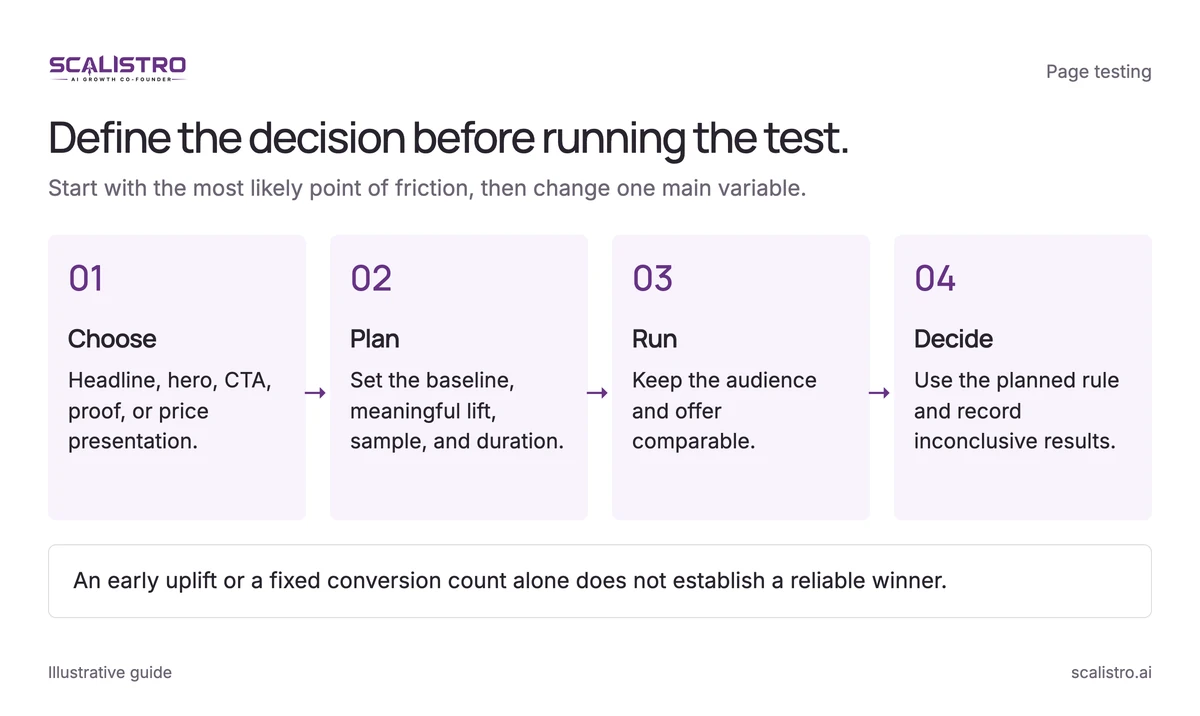
Swipe to explore. Tap to open full size.
Image details: Define the decision before running the test.
Define the decision before running the test. Start with the most likely point of friction, then change one main variable. Choose - Headline, hero, CTA, proof, or price presentation.; Plan - Set the baseline, meaningful lift, sample, and duration.; Run - Keep the audience and offer comparable.; Decide - Use the planned rule and record inconclusive results. An early uplift or a fixed conversion count alone does not establish a reliable winner.
- Headline (highest impact): Test 3 to 5 headline variations. Focus on different benefit angles and levels of specificity.
- Hero image or video: Test lifestyle vs. product-only, different models, different settings.
- CTA button text and color: Test specific benefit CTAs vs. generic. Test contrasting colors.
- Social proof placement and format: Test above-the-fold vs. below hero. Test video testimonials vs. text.
- Price presentation: Test price anchoring (show original price crossed out), bundle pricing, and per-day cost framing.
- Page length: Test long-form (2,000+ words) vs. short-form (500 words). Long-form typically wins for products above $50 and for cold traffic. Short-form wins for products under $30 and for retargeting traffic.
Before each A/B test, estimate sample size from your baseline conversion rate and the smallest lift worth detecting. At a 3 percent conversion rate, 3,300 visitors per variant would produce about 100 conversions per variant on average, but that count does not by itself establish statistical significance. Set the test duration and decision rule in advance so an early fluctuation does not decide the result.
Tools for Building D2C Landing Pages
Use the tool your team can keep accurate and fast. Vendor prices change, so confirm current plans before budgeting:
- Shopify native pages: Free (included with Shopify). Limited customization but sufficient for basic landing pages. Best for brands spending under $5,000 per month on ads.
- Shogun or GemPages (Shopify apps): $39 to $149 per month. Drag-and-drop builders with more design flexibility and built-in A/B testing. Best for brands spending $5,000 to $50,000 per month.
- Unbounce or Instapage: $90 to $200 per month. Dedicated landing page platforms with advanced A/B testing, dynamic text replacement, and AI-powered optimization. Best for brands spending $50,000+ per month with dedicated CRO resources.
- Custom-built (Hydrogen, Next.js, etc.): Higher development cost but maximum performance and customization. Best for brands with engineering resources and complex product configurations.
Whatever tool you use, compare the new page with the old one on sales, order size, and profit after order costs. Scalistro can help make product images and message options. Your team still publishes and tests the page.
A better page can change acquisition economics; see the D2C CAC guide for the full calculation.