How to Build a D2C Content Calendar
Build a content calendar around customer questions, product moments, channel formats, owners, and review dates, then adjust it using performance data.
On this page
A D2C content calendar turns product launches, customer questions, and campaign goals into posts your team can actually produce. Start with five content pillars, choose a realistic cadence for each channel, batch the work weekly, and review results monthly. This guide gives you the mix and workflow to fill the calendar without starting from a blank page each morning.
A documented calendar's practical advantage is consistency: everyone knows what to make, why it matters, and when it needs to go live.
The Content Pillar Framework
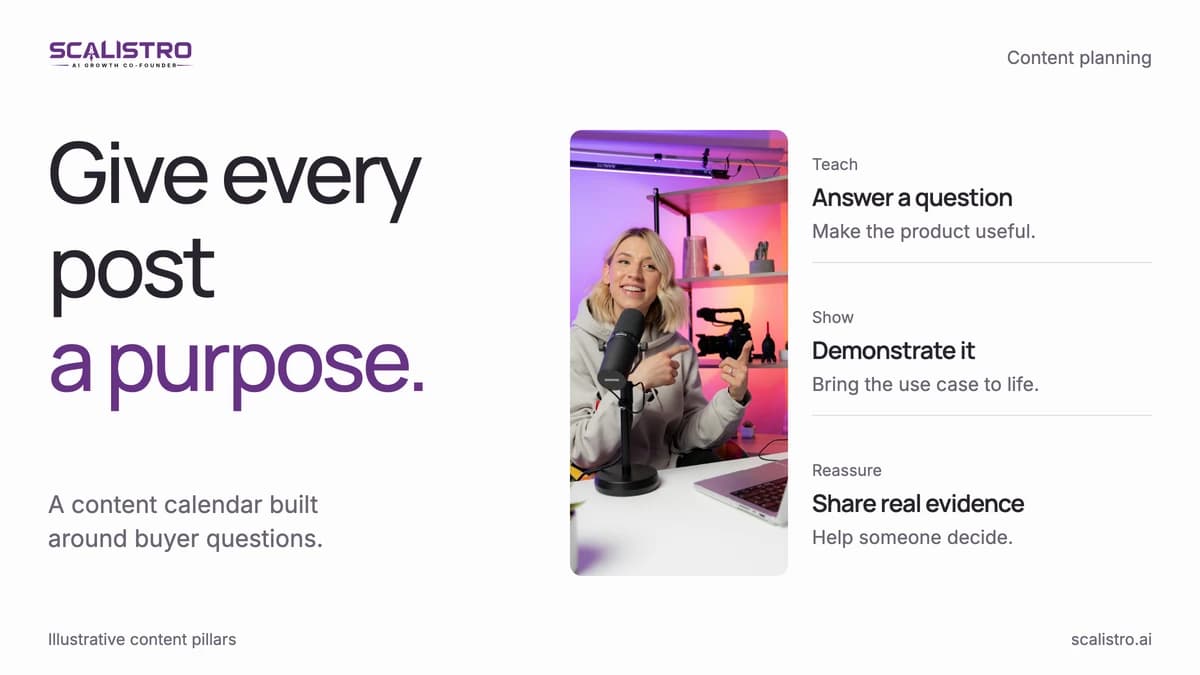
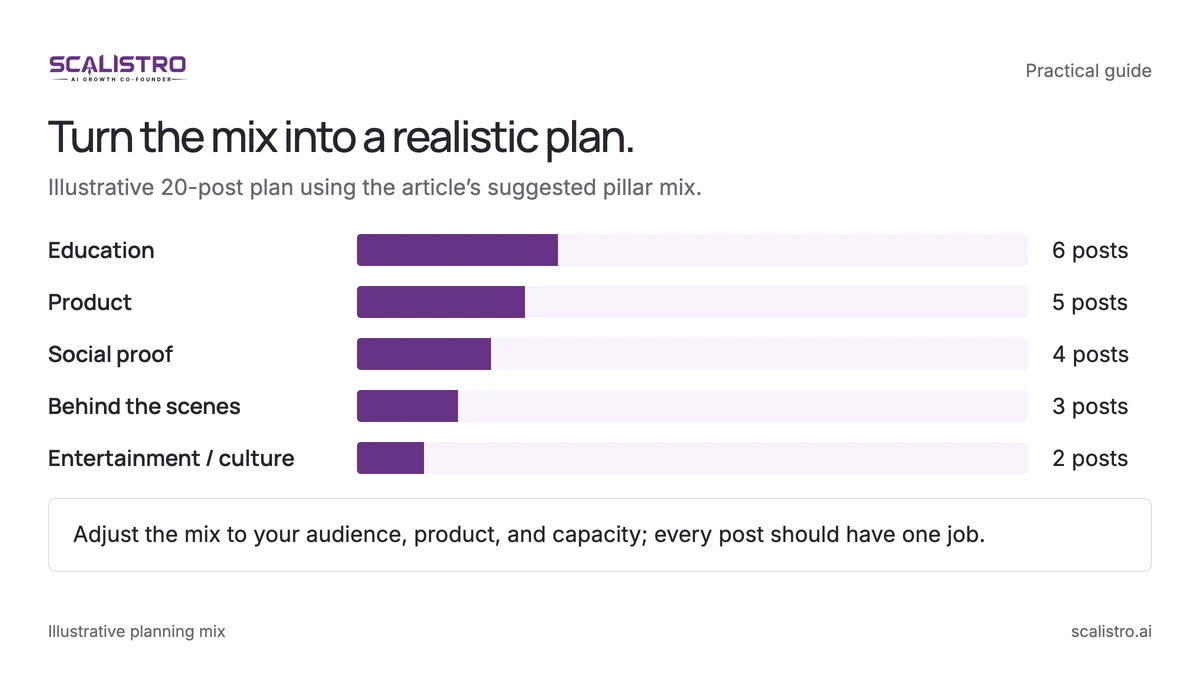
Content pillars are repeatable themes. Give each post one primary job: teach, demonstrate, reassure, connect, or reach new people. A five-pillar mix balances those jobs across a month:
Swipe to explore. Tap to open full size.
Image details: Turn the mix into a realistic plan.
Turn the mix into a realistic plan. Illustrative 20-post plan using the article’s suggested pillar mix. Education: 30%, 6 posts; Product: 25%, 5 posts; Social proof: 20%, 4 posts; Behind the scenes: 15%, 3 posts; Entertainment / culture: 10%, 2 posts Adjust the mix to your audience, product, and capacity; every post should have one job.
Pillar 1: Educational Content (30 percent of posts)
Answer questions customers ask before buying. A skincare brand can explain ingredients and routines; a home goods brand can show how to choose the right size or material. Start each post with one useful answer, then show where your product fits.
Pillar 2: Product Content (25 percent of posts)
Show the product in use, explain a feature, or compare two options a buyer might consider. Make the benefit visible before adding a purchase prompt. Expect these posts to drive more site clicks than other pillars, and check that in your own analytics.
Pillar 3: Social Proof (20 percent of posts)
Use real reviews, unboxings, customer photos, and results customers have agreed to share. Pair each proof point with the concern it answers, such as fit, durability, or ease of use. Reviews carry weight: the Spiegel Research Center found a product with five reviews was 270 percent more likely to be purchased than one with none (Spiegel Research Center, 2017).
Pillar 4: Behind the Scenes (15 percent of posts)
Show who makes the product and how decisions get made: founder notes, production steps, team members, or quality checks. Specific moments invite better conversation than generic brand statements.
Pillar 5: Entertainment and Culture (10 percent of posts)
Use humor, trends, and seasonal moments only when they fit your audience and product. This pillar helps new people discover you: entertainment content is the pillar most likely to be shared beyond your followers. Put the brand connection in the idea, not just the logo.
Platform-Specific Posting Cadences
Choose a cadence your team can sustain. Use the table as a starting point, then cut channels that consume time without reaching the right buyers.
| Platform | Posts per Week | Best Performing Formats | Best Content Pillars |
|---|---|---|---|
| Instagram Feed | 4 to 5 | Carousels, single image | Product, social proof, educational |
| Instagram Reels | 3 to 5 | 15 to 30 second video | Educational, entertainment, BTS |
| Instagram Stories | Daily (3 to 7 per day) | Polls, questions, casual updates | BTS, product, social proof |
| TikTok | 5 to 10 | 15 to 60 second video | Educational, entertainment, product |
| 3 to 5 | Video, link posts, carousels | Product, social proof, educational | |
| 5 to 10 pins | Vertical images, idea pins | Educational, product, inspiration | |
| 2 to 3 | Text posts, carousels | BTS, educational, founder stories |
The Batch Creation Workflow
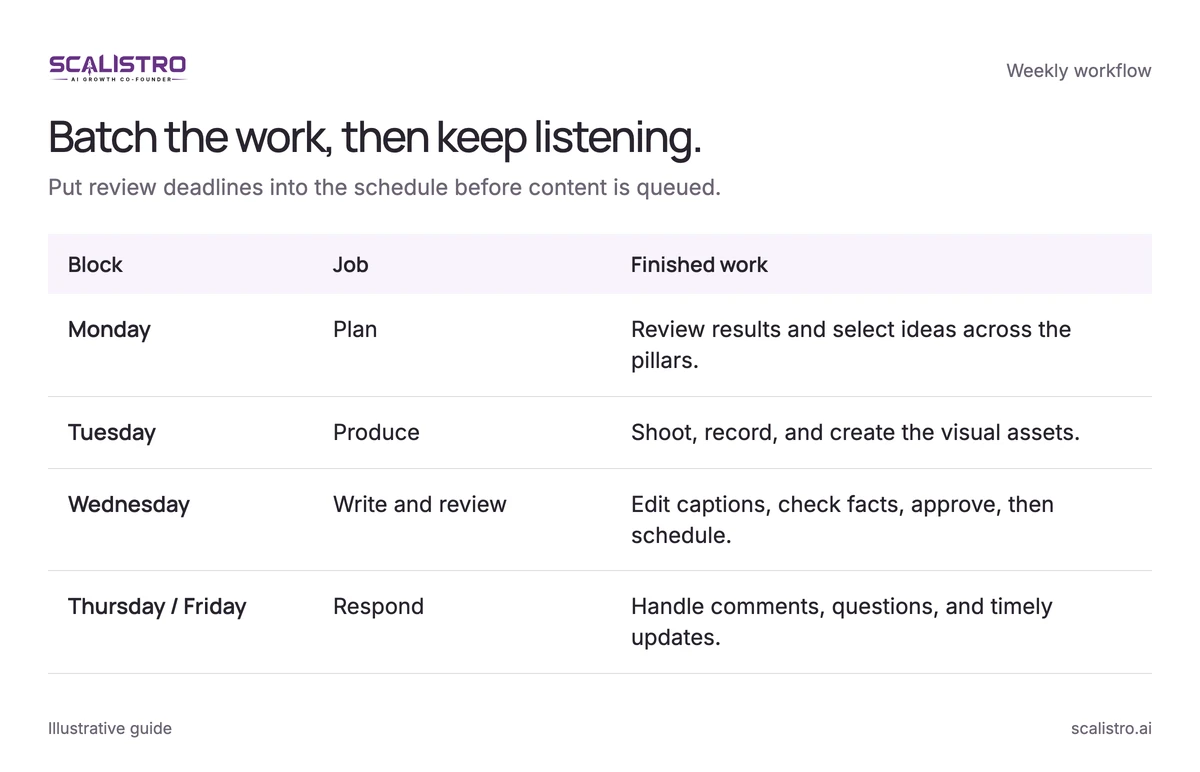
Batch creation separates planning, production, writing, and community work. That gives each person enough uninterrupted time to finish a useful set of assets instead of switching tasks for every post. Listro can help with the planning and caption blocks; a person still reviews every post before it is scheduled.
Swipe to explore. Tap to open full size.
Image details: Batch the work, then keep listening.
| Block | Job | Finished work |
|---|---|---|
| Monday | Plan | Review results and select ideas across the pillars. |
| Tuesday | Produce | Shoot, record, and create the visual assets. |
| Wednesday | Write and review | Edit captions, check facts, approve, then schedule. |
| Thursday / Friday | Respond | Handle comments, questions, and timely updates. |
Weekly Batch Creation Schedule
Assign one owner for each block and put review deadlines on the calendar before scheduling anything.
- Monday (2 to 3 hours): Plan. Review last week's strongest posts and the questions customers asked. Generate 20 to 30 ideas across your pillars, then choose the best 10 to 15 based on campaign priorities.
- Tuesday (3 to 4 hours): Produce. Shoot the product, record videos, and make graphics together. AI tools can adapt 5 base images into 20 or more platform-ready variations; check every variation for product accuracy.
- Wednesday (2 to 3 hours): Write and schedule. Draft captions in batches, then edit each one for channel, voice, facts, and call to action. AI can draft captions quickly, leaving more of the block for review.
- Thursday and Friday (30 minutes per day): Respond. Answer comments and messages, watch for customer questions, and post timely material that could not be scheduled earlier.
Focused blocks usually take less total time than creating posts one at a time, and they produce more finished work. If the calendar still slips, reduce the number of channels before adding more posts.
Content Repurposing: One Source, Many Posts
Choose one strong source asset, then adapt its ideas to the format and audience of each channel. Repurposing saves production time without publishing the same piece everywhere. The examples below produce 6 to 20 useful variations from one source:
- 1 blog post → 3 Instagram carousels (1 per key point) + 5 short-form video scripts + 1 email newsletter section + 5 Story slides
- 1 product shoot → 4 Feed posts (different angles/contexts) + 8 ad creative variations + 3 email hero images + 5 Story slides
- 1 customer testimonial → 1 Feed post + 1 Reel + 1 Story highlight + 2 ad creatives + 1 email section
AI can draft carousel slides, short-video outlines, email snippets, and social captions from an approved source. Check that each version keeps the original facts and speaks naturally on its channel. Review and refinement can take 30 to 45 minutes instead of a full day of manual adaptation.
Measuring Content Calendar Performance
Measure both output and business results. A calendar that looks full but never reaches or converts the right people needs a different mix.
Weekly Metrics to Track
Check these metrics by pillar and by platform so a popular format does not hide a weak channel.
- Publishing rate: Divide published posts by planned posts. Aim for at least 90 percent. Below 80 percent suggests the schedule or production process needs adjusting.
- Engagement by pillar: Compare saves, shares, comments, and meaningful replies to see which themes deserve more space next month.
- Reach: Separate followers from non-followers. Reach from non-followers shows whether content is finding new people.
- Site visits: Tag links with UTMs and compare traffic by platform, format, and campaign.
- Attributed revenue: Review last-touch and multi-touch reporting to understand where social content contributes to orders.
Monthly Content Audit
At the end of each month, use the results to change the next calendar:
- Review the top 5 posts and identify the message, format, and audience that drove the result.
- Review the bottom 5 posts for weak hooks, poor timing, or a mismatch with the audience.
- Adjust the pillar mix if one category consistently outperforms another on the goal that matters.
- Compare each platform's return with the time needed to produce and manage its content.
- Add one new format or idea to test next month instead of changing the entire plan at once.
When the plan is stable, use the social media automation guide to schedule and review content.