Instagram Carousel Ads for D2C: Creative and Testing Guide
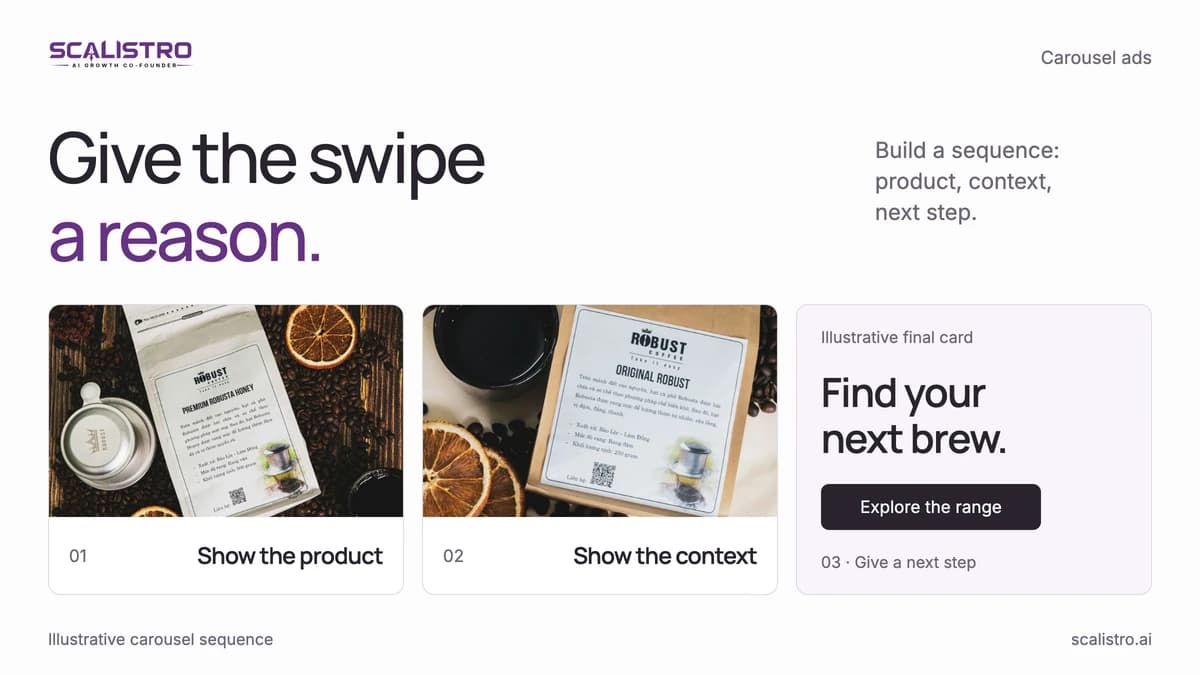
Build Instagram carousel ads with a clear first-card hook, one idea per card, product proof, and a final action. Test the sequence against other formats.
On this page
- Introduction
- Instagram Carousel Ad Specs: The Complete Reference
- Why Carousels Outperform Single-Image Ads
- 5 Carousel Frameworks That Convert for D2C
- Caption and Copy Strategy for Carousel Ads
- Common Carousel Ad Mistakes That Kill Performance
- How to Test and Iterate on Carousel Ads
- How Scalistro Helps with Carousel Ad Creation
- Frequently Asked Questions
Carousel ads give a D2C brand several frames to show a product, answer an objection, and ask for the sale. Meta reports carousel link ads delivered 30 to 50 percent lower cost per conversion and 20 to 30 percent lower cost per click than single-image link ads (Meta). The format is most useful when each card advances a clear story.
This guide covers current production checks, five card sequences, copy, and a test plan. Use your own account data to decide whether a carousel beats a single image for a specific product and audience.
Instagram Carousel Ad Specs: The Complete Reference
Choose one aspect ratio for the full set and preview it in every selected placement. These values are a production starting point, so confirm current Meta requirements before export.
- Image size: 1080 x 1080 pixels for a square set; use the placement's supported dimensions for another ratio
- Aspect ratio: 1:1 is a reliable default; keep all cards at the same supported ratio
- Number of cards: 2 to 10 (we recommend 5 to 7 for D2C)
- File format: JPG or PNG for images, MP4 or MOV for video cards
- Maximum file size: 30 MB per image, 4 GB per video
- Video length per card: Up to 60 seconds (keep it under 15 for ads)
- Primary text: 125 characters before truncation (aim for 80 to 100)
- Headline per card: 32 characters max (shorter is better)
- Description: 18 characters (often hidden on mobile)
Production check: Keep the cards at one aspect ratio and review the final placement preview. Mixed shapes can produce unexpected crops that hide text or product details.
Why Carousels Outperform Single-Image Ads
Carousels can work for three reasons: they show more product context, invite exploration, and let the message unfold across cards. Test the sequence rather than assuming any swipe guarantees a cheaper CPM.
1. Multiple Chances to Hook
The first card still needs to earn attention, but later cards can answer different buyer questions. Use 2 to 10 cards only when each adds something useful.
2. Swipe Engagement Signals
A swipe shows that a viewer wants more information. Build cards that reward that action with proof, detail, or a demonstration. Judge the ad on purchases and qualified clicks, since swipes alone do not prove delivery or profit improved.
3. Storytelling Space
Use the sequence to move from problem to product to evidence to action. Put the strongest reason to continue near the start, since many viewers will not reach the last card.
5 Carousel Frameworks That Convert for D2C
Choose the sequence that fits the buyer's question. New visitors may need a product demonstration; returning visitors may need evidence or a clear offer.
Framework 1: The Product Showcase (Best for New Launches)
Introduce a new product by moving from a clear hero image to benefit, use, proof, and offer.
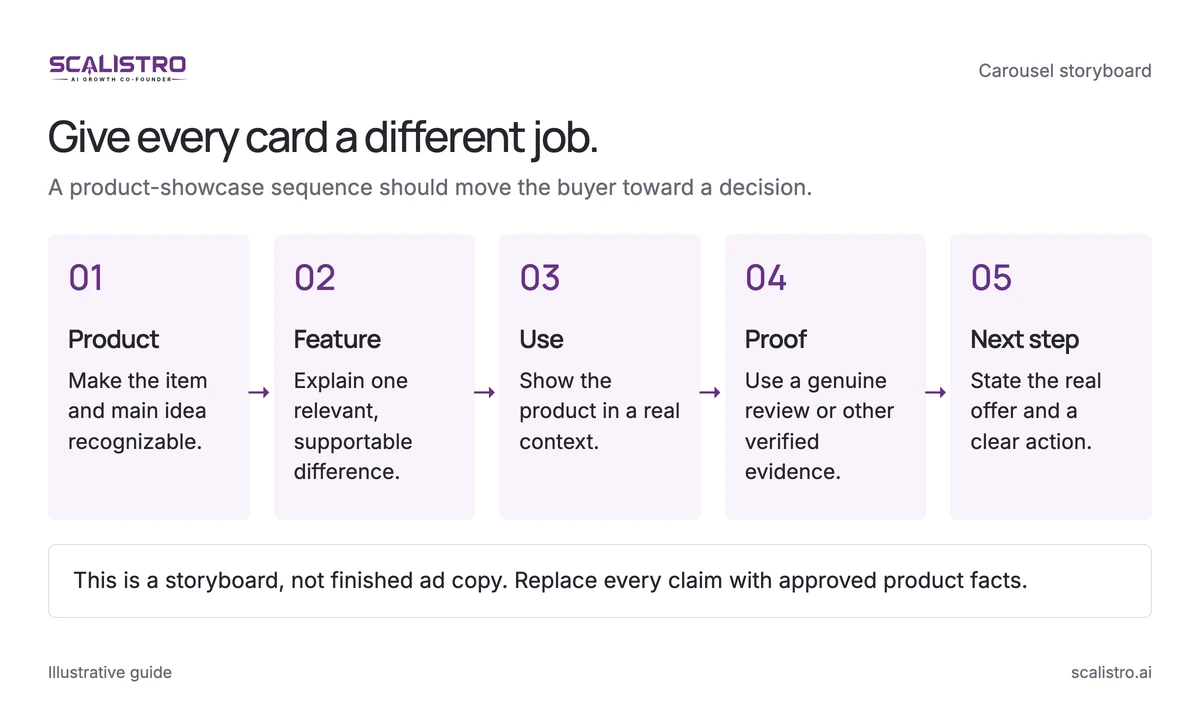
Swipe to explore. Tap to open full size.
Image details: Give every card a different job.
Give every card a different job. A product-showcase sequence should move the buyer toward a decision. Product - Make the item and main idea recognizable.; Feature - Explain one relevant, supportable difference.; Use - Show the product in a real context.; Proof - Use a genuine review or other verified evidence.; Next step - State the real offer and a clear action. This is a storyboard, not finished ad copy. Replace every claim with approved product facts.
- Card 1: Hero shot of the product with a bold headline - this is your scroll-stopper. Example: "The moisturizer your skin has been waiting for."
- Card 2: Close-up of the key ingredient or feature. Example: Close-up of hyaluronic acid texture with text "72-hour hydration."
- Card 3: Product in use - lifestyle shot showing someone applying it. Real context beats studio isolation.
- Card 4: Social proof - a customer quote overlaid on the product image. "My skin has never felt this good - Sarah M."
- Card 5: CTA card with offer. "Shop now - free shipping on your first order." Include your logo for brand recognition.
Framework 2: The Before/After Transformation (Best for Results-Based Products)
Use this structure only when the before and after images are real, comparable, and permitted by the placement's ad policy.
- Card 1: "Before" scenario - the problem your customer faces. Use authentic, relatable imagery.
- Card 2: The turning point - introduce your product as the solution.
- Card 3: "After" result - the transformation. Be honest and realistic; exaggerated claims kill trust.
- Card 4: How it works - 3 bullet points explaining the product's mechanism.
- Card 5: CTA with a time-bound offer. "Try it for 30 days - money-back guarantee."
Framework 3: The How-To/Tutorial (Best for Complex Products)
Teach one useful process across the cards, such as a routine, meal assembly, or product setup.
- Card 1: "How to [achieve result] in [number] steps" - the promise.
- Cards 2-4: One step per card with clear visuals and minimal text. Show the product being used at each step.
- Card 5: The final result plus CTA. "Get the complete kit - link in bio."
Framework 4: The Storytelling Sequence (Best for Brand Building)
Use the founding story when the reason the product exists matters to the buying decision. Keep each card concrete.
- Card 1: The problem or origin - why you started this brand.
- Card 2: The insight - what you discovered that others missed.
- Card 3: The solution - your product, shown in the context of solving the original problem.
- Card 4: The impact - customers whose lives improved because of your product.
- Card 5: The invitation - "Join [number] customers who made the switch."
Framework 5: The Social Proof Stack (Best for Retargeting)
Show different forms of genuine evidence, such as reviews, ratings, and press, without inventing customer or publication names.
- Card 1: A bold customer testimonial with their photo.
- Card 2: A different testimonial from a different demographic.
- Card 3: A metric - "Rated 4.8 stars by 10,000+ customers."
- Card 4: Press mention or award - "Featured in [publication]."
- Card 5: CTA - "See why everyone is switching."
Caption and Copy Strategy for Carousel Ads
The caption should add context the cards cannot show and make the next action clear.
Keep the First Line as a Hook
Lead with a specific buyer question or verified benefit before text truncates around 125 characters. Avoid a provocative claim the product cannot substantiate.
Use the Caption to Complement, Not Repeat
Use the caption for detail, context, or a customer quote. Repeating the card text wastes space.
End with a Clear CTA
Tell the buyer what happens next, such as viewing the product, claiming a real 20 percent first-order offer, or seeing the full routine.
Card-Level Headlines Matter
If the placement shows card-level headlines, use short labels for steps or benefits. Check them in the preview because visibility varies by placement.
Common Carousel Ad Mistakes That Kill Performance
Most weak carousels lose the viewer before the proof or leave them without a clear next step.
Weak First Card
Show the product or buyer problem clearly on card one. If the opening is generic, later cards may never be seen.
No CTA on the Last Card
Close with a clear action and destination. Do not assume the viewer will infer the offer from another product photo.
Inconsistent Visual Style
Use consistent typography, color, and spacing so the sequence feels like one ad, while letting each card serve a different purpose.
Too Much Text Per Card
Keep each card to one headline and one support line. Move a complex explanation to the next card or landing page.
Not Testing Card Order
Test whether product, proof, or problem belongs first. Change one ordering decision at a time and compare purchase outcomes.
How to Test and Iterate on Carousel Ads
Test the message before polishing individual cards. Keep the offer and audience stable so the result is easier to interpret.
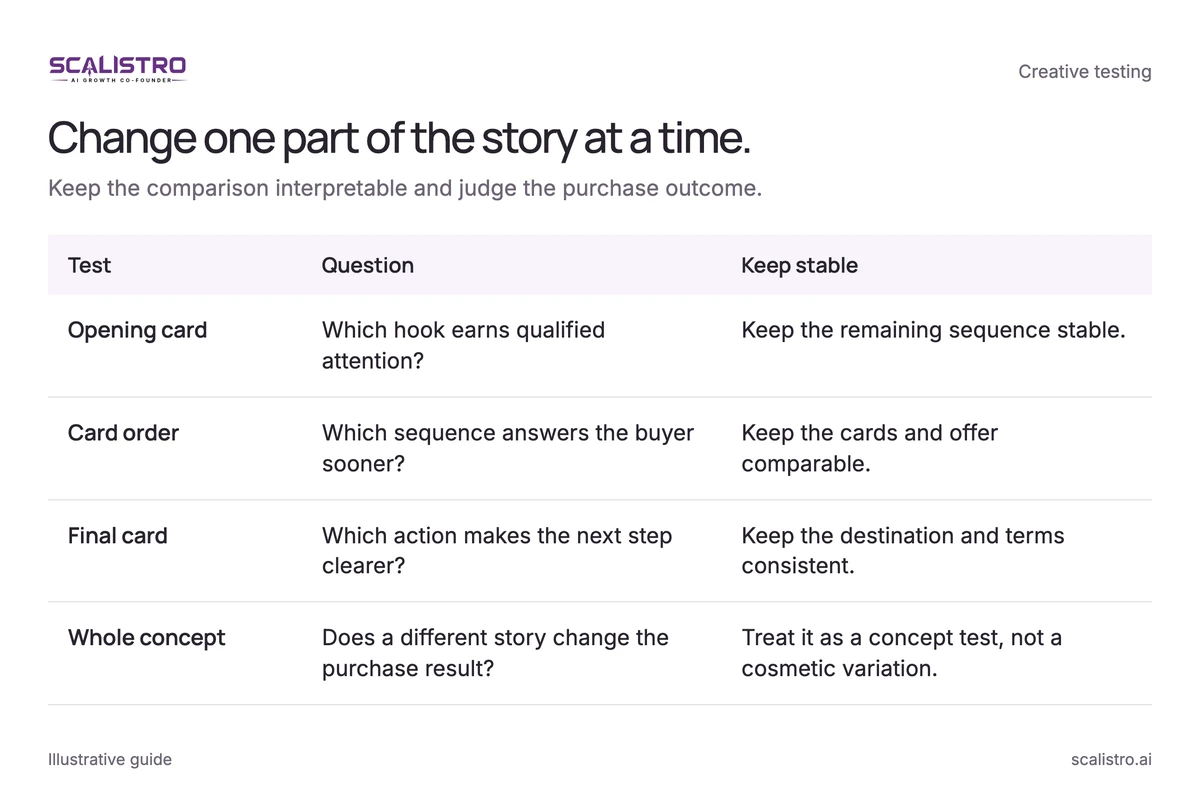
Swipe to explore. Tap to open full size.
Image details: Change one part of the story at a time.
| Test | Question | Keep stable |
|---|---|---|
| Opening card | Which hook earns qualified attention? | Keep the remaining sequence stable. |
| Card order | Which sequence answers the buyer sooner? | Keep the cards and offer comparable. |
| Final card | Which action makes the next step clearer? | Keep the destination and terms consistent. |
| Whole concept | Does a different story change the purchase result? | Treat it as a concept test, not a cosmetic variation. |
Test Concepts First
Compare a product showcase with a proof-led sequence to see which story better fits the audience.
Then Test Elements
Once a sequence performs, change the first image, one proof point, or the CTA while keeping the rest stable.
Use AI for Volume
Listro can help prepare card designs from approved images and brand direction. Select a manageable test set; 10 to 15 monthly variants need enough budget and human review to be useful.
Monitor Swipe Depth
Review card-level engagement or click data where the placement reports it, then test card order and CTA placement. Do not assume Ads Manager provides a complete swipe-depth funnel for every carousel placement.
How Scalistro Helps with Carousel Ad Creation
Listro can help produce image, layout, and copy variants from the product catalog and brand direction, and align the organic content plan with the same theme. A person chooses the sequence, approves claims, and launches the ad; expert campaign guidance is available on eligible plans. Use the test result to brief the next set.
Use the Facebook ad copy frameworks to write a hook that makes the first card earn a swipe.